
Ideal for: Traders running multiple copy trades from one wallet.
Features:
- Perfect option if you execute multiple copy trade tasks from a single wallet.
- Impact on your profit is calculated and displayed for each wallet.
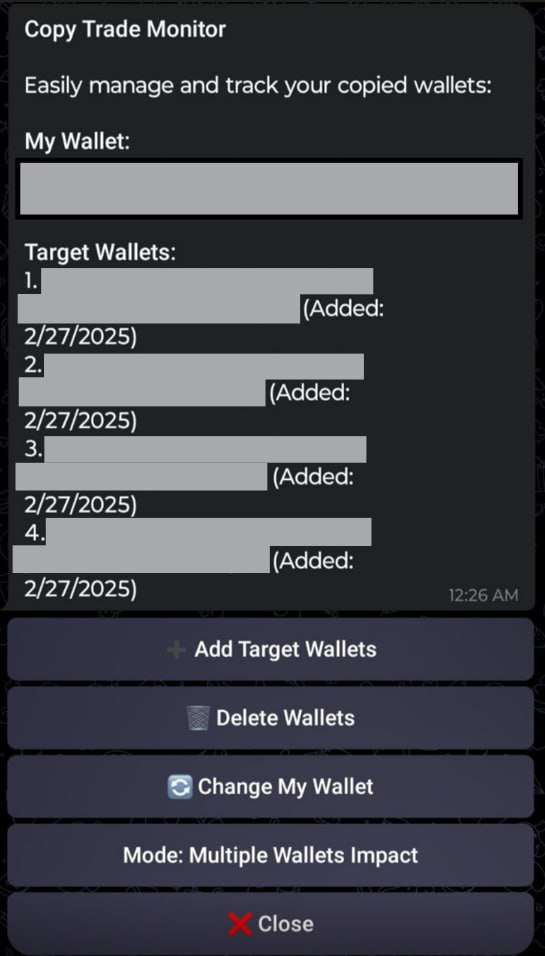
Start
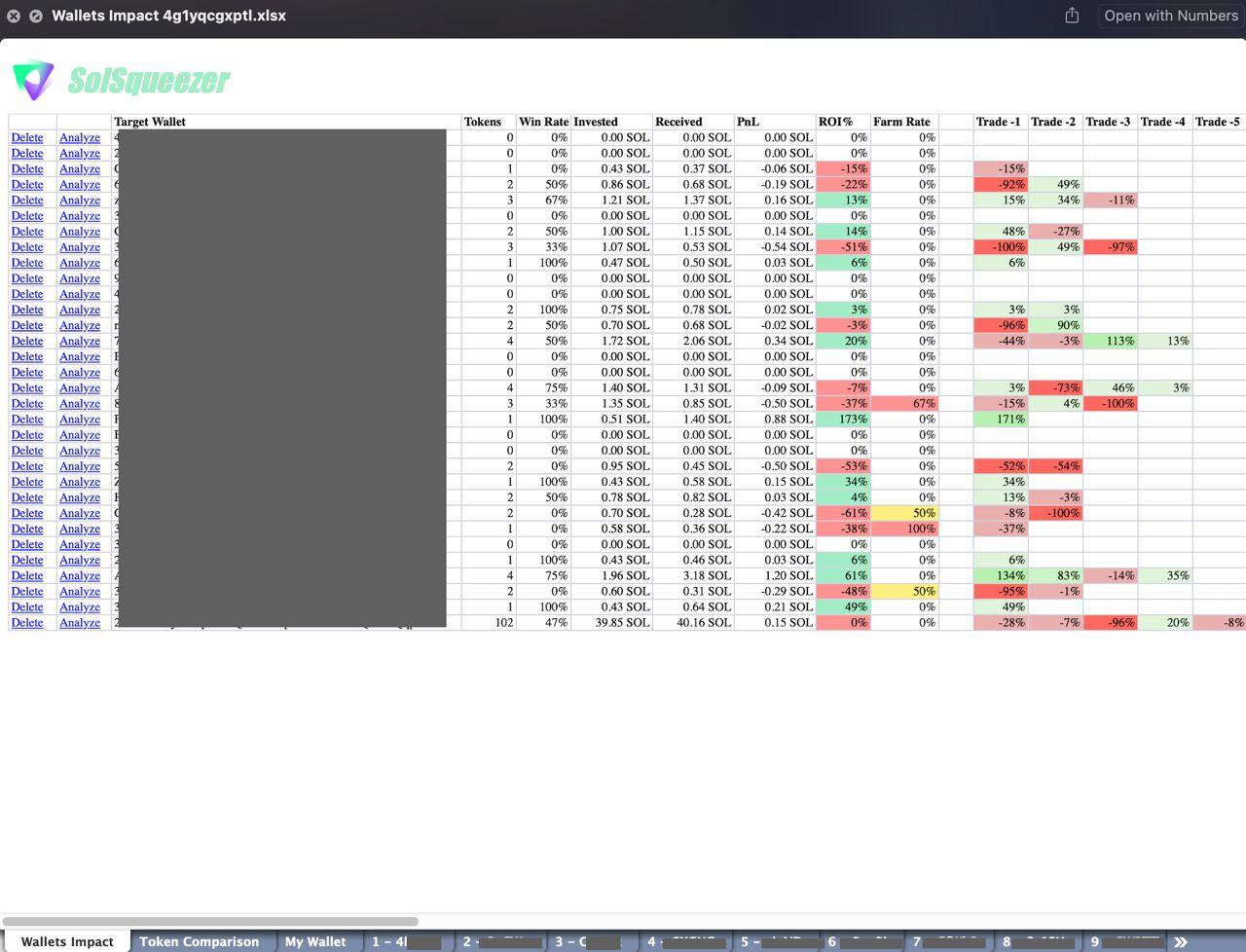
Output
Understanding the Report
⭐️ Wallet Impact Sheet
Each column in your Wallet Impact sheet represents key performance indicators:
- Tokens:
Number of trades copied from the target wallet. - Win Rate:
Your win rate (%) for trades copied from this wallet since tracking began. - Invested/Received:
- Invested: Total outflow of SOL while copying this wallet.
- Received: Total inflow of SOL while copying this wallet.
- PnL :
Net profit or loss (in SOL) this wallet generated for you. - ROI%:
Your return on investment (%) from copying this wallet. - Farm Rate:
Number of times the target wallet profited, but YOU made a loss. - Trade History:
Last 50 trades displayed with color codes for a bird’s-eye view for clear understanding.
⭐️ Token Comparison Sheet
This section compares token-specific data between your wallet and the target wallet:
- Target Wallet:
Which wallet executed the trade. - Main Delta SOL:
How much profit or loss (in SOL) you made on the token. - Target Delta SOL:
How much profit or loss (in SOL) the target wallet made on the token. - Main Delta %:
Percentage ROI on the traded token for your wallet. - Target Delta %:
Percentage ROI on the traded token for the target wallet. - Market Caps:
- Initial Buy MCap: Token’s market cap when you entered the trade.
- Final Buy MCap: Token’s market cap when the target wallet entered the trade.
Compare entry points to spot timing gaps!